

The Platform Is the Delivery Model
For an MSP, choosing a security awareness training platform is really a service delivery decision. The wrong platform does more than weaken training quality. It adds manual work, slows client onboarding, complicates reporting, and makes it harder to prove value at renewal. A tool built for one internal security team may not hold up when the MSP is supporting 20, 50, or 200 client environments.
The main issue is operational scale. Analysts need to launch campaigns without rebuilding the same workflow for every client. Account managers need reports that show risk clearly without requiring a technical walkthrough. Clients need training that reflects how their employees work, from payroll teams reviewing payment changes to IT admins handling privileged access, not a generic annual module that everyone forgets by Friday.
A strong platform should give the MSP clear control over human risk across client environments. It should show where behavior is improving, which groups need attention, and which clients need follow-up before the next business review. Content still matters, but it should not be the first filter. Multi-tenant management, role-based learning, phishing simulations, compliance reporting, automation, and vendor partnership are the capabilities that turn training from a one-time deliverable into a managed security service.
Start With Multi-Tenant Control, Not Course Volume
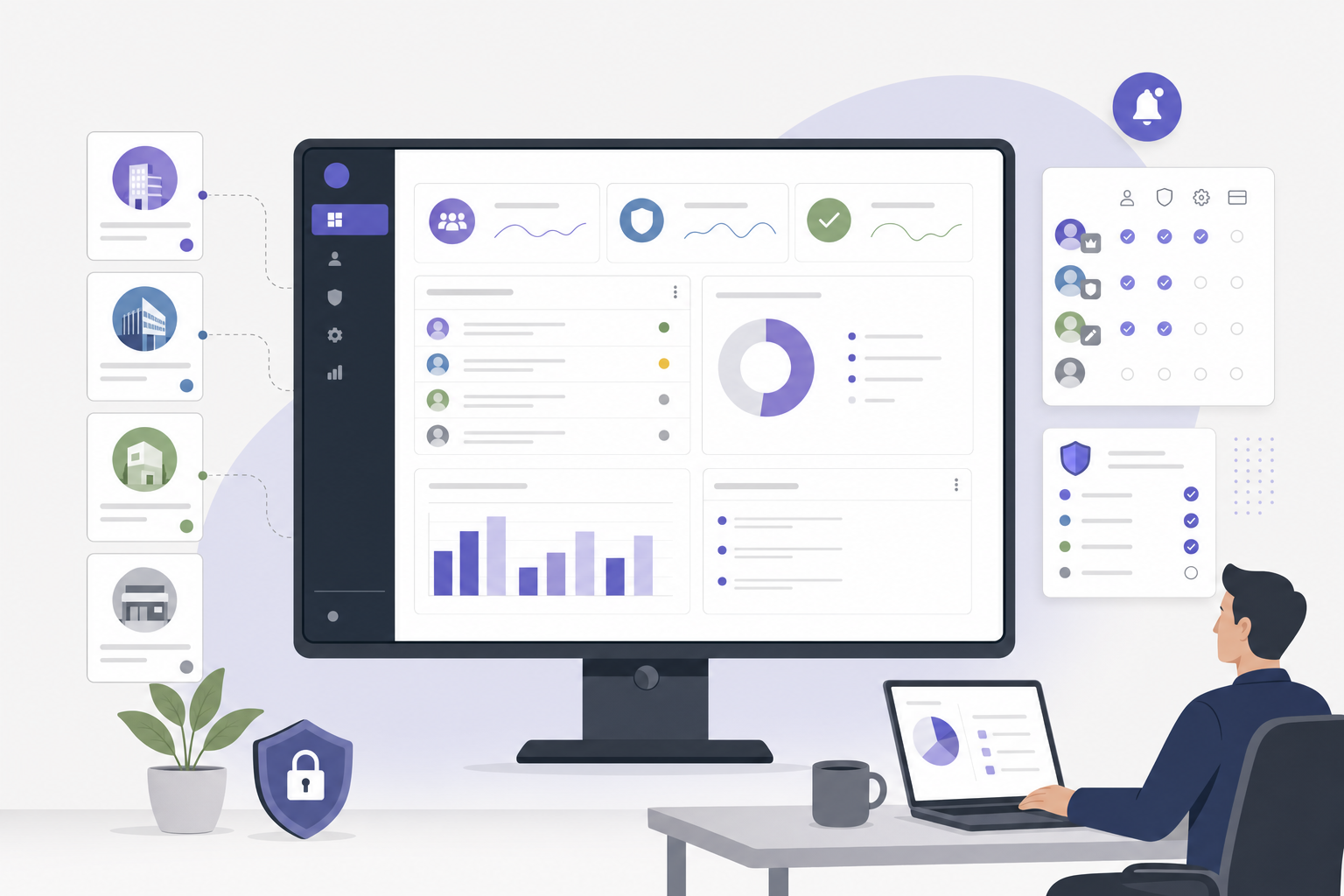
A large course library can look impressive in a demo, but it is not the first test for an MSP. The first test is whether the team can manage clients cleanly, separately, and efficiently. Multi-tenant administration should let staff move between client accounts without mixing data, permissions, branding, or reports. Each client needs its own environment, while the MSP needs centralized visibility across the full portfolio.
Role-based access controls are part of that foundation. A service desk analyst may need to help users with access issues, while a security program manager may need to launch phishing simulations. An account manager may only need reporting access for client reviews. The platform should support those differences without forcing every staff member into the same admin role.
Client onboarding also needs to be repeatable. If every new client requires a long setup process, margins suffer and delivery becomes inconsistent. The MSP should be able to create a client workspace, apply a standard training baseline, adjust settings, and begin user provisioning without a custom project every time. Branding should be flexible too, since some clients may want communications under their own name while others may want the MSP brand visible as part of the managed service.
The goal is not control for its own sake. It is repeatability at scale. A strong multi-tenant setup lets the MSP build a standard operating model, then adapt it by client without starting over each time. That is what protects both service quality and profitability.
Look for Role-Based Training That Maps to Real Risk
Security awareness programs often underperform when every employee gets the same training. That approach is easy to administer, but it does not match real workplace exposure. A payroll manager faces business email compromise and payment change fraud. An IT administrator is a more likely target for credential theft, while an executive assistant may handle sensitive calendar, travel, and approval requests.
Remote workers bring another risk pattern. A remote sales employee may work from airports, hotels, customer sites, and personal networks, often while handling shared files and customer data. These employees need a shared baseline, but they also need learning paths that match their role and daily decisions. Training is more likely to change behavior when the examples look familiar.
For MSPs, role-based training matters because client environments vary widely. A 75-person accounting firm, a regional manufacturer, and a nonprofit with a distributed workforce will not share the same risk profile. The platform should make it easy to assign training by department, role, location, risk group, or client policy. It should also allow the program to change as behavior data comes in.
The strongest platforms adjust over time. If a user repeatedly misses phishing indicators, the system should assign follow-up training tied to that pattern. If a group performs well on password hygiene but struggles with payment fraud scenarios, the program should shift attention to payment verification. That improves efficiency because employees spend less time on material they already understand, while the MSP can show a clearer link between risk and response.
Require Phishing Simulations That Teach, Not Just Test
Phishing simulations should not be treated as a monthly trap. They should measure behavior and coach employees toward better decisions. An MSP platform should support realistic simulations across common attack types, including invoice fraud, password reset lures, file-sharing notifications, HR updates, executive impersonation, and vendor payment changes. Templates should reflect the messages employees actually see, not obvious scams with poor spelling and fake-looking logos.
Simulations also need to connect directly to training. If a finance user clicks a fake invoice attachment, the follow-up should cover invoice fraud and verification steps. If an IT admin enters credentials into a simulated login page, the follow-up should focus on credential protection, multi-factor prompts, and privileged access risk. The point is not embarrassment; the point is measurable behavior change.
Campaign difficulty should be adjustable by client maturity and risk level. A new client may need a baseline simulation to understand current behavior. A mature client may need more targeted scenarios by role, department, or business process. The platform should support both without turning campaign setup into a manual build.
Reporting should go beyond click rates. MSPs should look for visibility into repeat risky behavior, reporting behavior, department trends, and improvement over time. A user who reports a suspicious email is showing a positive security behavior, and that should count in the program story. Instead of telling a client, “Training was completed,” the MSP can say, “Finance improved on invoice fraud scenarios, but executives still need coaching on approval-request scams.”
Make Reporting Useful for Clients and Auditors
Clients do not only need training. They need evidence that the program is running and reducing risk. A CISO may need a board-level summary, while a compliance manager may need proof of completion. HR may need a list of users who missed required training, and an auditor may ask for dates, assignments, reminders, completions, exceptions, and policy acknowledgment records.
The platform should make those reports easy to produce. If the MSP has to export raw data, clean spreadsheets, and manually build client-ready reports every month, the platform is pushing work back onto the service team. That may be manageable for five clients, but it becomes expensive at scale. Reporting should support program delivery, not become a separate reporting project.
Useful reports answer practical questions. Who completed required training? Which departments have overdue users? Which users are repeat simulation failures? Which groups are improving, and which clients are below the agreed service baseline? Scheduled reporting and client or MSP branding should be standard expectations, not special requests.
Different audiences need different formats. Security teams may want detailed dashboards, executives may want a short trend view, and compliance teams may need exportable evidence. A strong platform supports each audience without forcing staff to rebuild the same message three times. Good reporting connects daily employee behavior to governance, risk, and compliance in a way clients can understand and act on.

Check Integration and Automation Before the Contract
A platform can have strong content and still create too much work. Before signing, MSPs should examine how the platform fits into the existing operational stack. User provisioning is a good starting point. The platform should support common directory integrations and make it easy to sync users, groups, departments, and status changes.
Manual user management creates avoidable risk and cost. When a client hires, terminates, or moves an employee, training assignments should not depend on someone updating a spreadsheet. The same applies to reminders and escalations. If users miss a deadline, the system should send follow-ups, notify the right contact when a group remains overdue, and generate reports when a campaign closes.
Ticketing and workflow integration may also matter. The service desk may receive questions about login access, training links, or phishing reports. The platform should not become a separate system that the team has to monitor by hand. Where practical, it should connect to the tools the MSP already uses to manage client support and service delivery.
This is the operational plumbing clients rarely see, but they will feel the results. Better integration means faster onboarding, fewer support tickets, cleaner data, and more consistent delivery. During evaluation, vendors should show the full workflow: creating a client, adding users, assigning campaigns, sending reminders, and delivering reports. The learner experience matters, but the admin workflow is where service fit becomes visible.
Evaluate Vendor Support Like a Service Partner
For MSPs, the vendor relationship matters because the platform becomes part of the service promise. A useful vendor understands managed service delivery, including client onboarding, multi-tenant troubleshooting, delegated administration, reporting needs, and rollout support. If every issue leads to a long escalation path or a generic help article, the MSP absorbs the cost. That cost shows up in ticket volume, delayed launches, and account manager frustration.
Enablement should be evaluated during the buying process, not after the contract is signed. The vendor should provide templates for client rollout emails, program launch plans, and administrator training. It should help the MSP define a baseline training program for new clients and give practical guidance on campaign cadence, role-based assignments, and compliance evidence. Those resources help standardize delivery without making every client feel the same.
Support quality becomes more important as the MSP grows. A platform that works well for ten clients may become difficult at fifty if documentation is thin, support is slow, or account guidance is reactive. The MSP should also ask how the product roadmap is shaped. If the vendor is focused mainly on single-tenant enterprise use cases, MSP needs around scale, reporting, automation, and client segmentation may remain secondary.
Interactive Procurement Checklist for MSP Buyers
Use this checklist during vendor demos, pilot reviews, and final procurement discussions. The goal is to test how the platform will operate inside the MSP’s service model, not only how it looks in a product walkthrough.
Multi-tenant operations
- Can the MSP manage all client environments from one console without mixing users, data, reports, or permissions?
- Can staff be assigned different administrative roles, such as service desk support, campaign manager, account manager, and read-only reporting user?
- Can a new client workspace be created from a standard baseline rather than built from scratch each time?
- Can branding be set by client, including client-branded or MSP-branded communications?
Program delivery and training fit
- Can training be assigned by role, department, location, risk group, or client policy?
- Can phishing simulation results trigger targeted follow-up training automatically?
- Does the content include practical examples for common client roles, such as payroll, finance, IT admins, executives, and remote workers?
Reporting and compliance evidence
- Can the platform produce client-ready reports for executive reviews, compliance teams, and auditors?
- Are completion dates, assignments, reminders, exceptions, and policy acknowledgments easy to export or schedule?
- Can the MSP view portfolio-level performance to identify clients that need follow-up before renewal or QBR meetings?
Integration and automation
- Does the platform integrate with common directories for user provisioning and group synchronization?
- Are joiner, mover, and leaver changes reflected without manual spreadsheet updates?
- Can reminders, escalations, and overdue notices be automated by client policy?
- Does the platform connect with ticketing, PSA, or workflow tools used by the MSP’s service desk?
Vendor support and commercial fit
- Does the vendor offer MSP-specific onboarding, documentation, and administrator training?
- Are support response times, escalation paths, and ownership clearly defined in writing?
- Does the vendor provide rollout templates, client communication samples, and program launch guidance?
- Is pricing aligned with managed service delivery, including client growth, seat changes, and multi-client management?
- Does the product roadmap include MSP-relevant improvements such as reporting automation, delegated administration, and client segmentation?
The checklist should be completed by more than one stakeholder. Security program leaders can test training quality and risk alignment. Service delivery managers can test workflow and support burden. Account managers can review reporting and renewal value. Finance and procurement can evaluate pricing terms, minimums, and margin impact. A platform that performs well across those groups is more likely to support the service over time.
The right platform helps the MSP deliver a consistent service while adapting to each client’s risk profile. That balance is the core of a mature managed awareness program. The strongest MSP security programs do more than deliver training; they help clients build a workplace where secure behavior is expected, measured, and reinforced. If the platform cannot help the team prove that behavior is changing, is it really supporting the service the MSP wants to deliver? Use these criteria to pressure-test the next platform shortlist before committing.